Job Search Tools
Job Description Keyword Finder: Extract What Matters
Paste a job description, get the keywords that matter for your resume. Most keyword tools list every noun from a posting. Ours ranks keywords by importance and categorizes them as technical skills, soft skills, qualifications, and experience markers. You get a prioritized list, not a word dump.
Results in under 15 seconds
What you'll get
- Job title, company, and location extracted
- Top skills ranked by importance
- Experience level assessment
- What a strong candidate needs beyond skills
- Company culture signals
Your job description is processed in real-time and never stored on our servers.
Beyond the Word List
Why a Keyword List Is Not a Strategy
Every keyword tool gives you a list of words from a job posting. The problem is not finding the keywords. The problem is knowing which ones matter.
A typical job description contains 40 to 60 potential keywords. Putting all of them in your resume makes it read like a word salad. Putting the wrong ones in means you optimized for requirements the hiring manager considers optional.
Our tool does what most extractors skip: it ranks keywords by importance, separates required skills from preferred ones, and categorizes them so you know which are technical requirements, which are soft skill signals, and which are qualifications you either have or do not.
The result is a prioritized keyword strategy, not a list to copy-paste. You know which 8 to 12 keywords actually drive the hiring decision and which 30 are filler.
4 Categories
What We Extract
Not just keywords. Categorized, ranked, and prioritized for your resume.
Technical Skills
Programming languages, frameworks, tools, platforms, and domain-specific technical requirements. Each skill is ranked by how central it is to the role, so you know the difference between a must-have and a nice-to-have.
Soft Skills & Leadership
Communication, collaboration, leadership, and interpersonal requirements. These keywords signal what the hiring team values beyond technical ability and often determine culture fit.
Qualifications & Certifications
Degrees, certifications, clearances, and formal credentials. We separate hard requirements (the role cannot be filled without them) from preferences (they strengthen your candidacy but are not dealbreakers).
Experience Markers
Years of experience, industry background, seniority indicators, and scope expectations. These tell you whether the role is targeting your career level or someone more junior or senior.
Who This Is For
Built for Job Seekers Who Want to Use the Right Keywords
Professionals tailoring their resume for a specific role
You have the experience but your resume was written for your last job. You need to know exactly which keywords to add for this one.
Career changers translating their experience into new industry language
You know the work but not the vocabulary. Seeing keywords categorized by type helps you map your existing skills to what the new industry calls them.
Job seekers who have been rejected by ATS systems
Your resume has the right experience but the wrong words. A ranked keyword list shows you what the automated filters are looking for.
Anyone optimizing a LinkedIn profile or cover letter
Keywords matter beyond your resume. The same terms that drive ATS matching also improve your visibility in recruiter searches and strengthen your cover letter.
Simple Process
How It Works
Paste a job description and get categorized keywords in under 15 seconds.
1. Paste the Job Description
Copy the full job posting text and paste it into the keyword finder above. No account required, no signup form. Your text is processed in real-time and never stored on our servers. Works with postings from any job board, company career page, or recruiter email.
2. Get Categorized Keywords
Within 15 seconds, see every relevant keyword extracted, categorized by type, and ranked by importance. Technical skills, soft skills, qualifications, and experience markers are separated so you can see exactly which category needs attention in your resume. Required skills are distinguished from preferred ones.
3. Build Your Keyword Strategy
Use the ranked list to update your resume, cover letter, or LinkedIn profile. Focus on the top-ranked keywords in each category first. Create a free account to save your analysis, compare keywords across multiple roles, or generate a tailored resume.
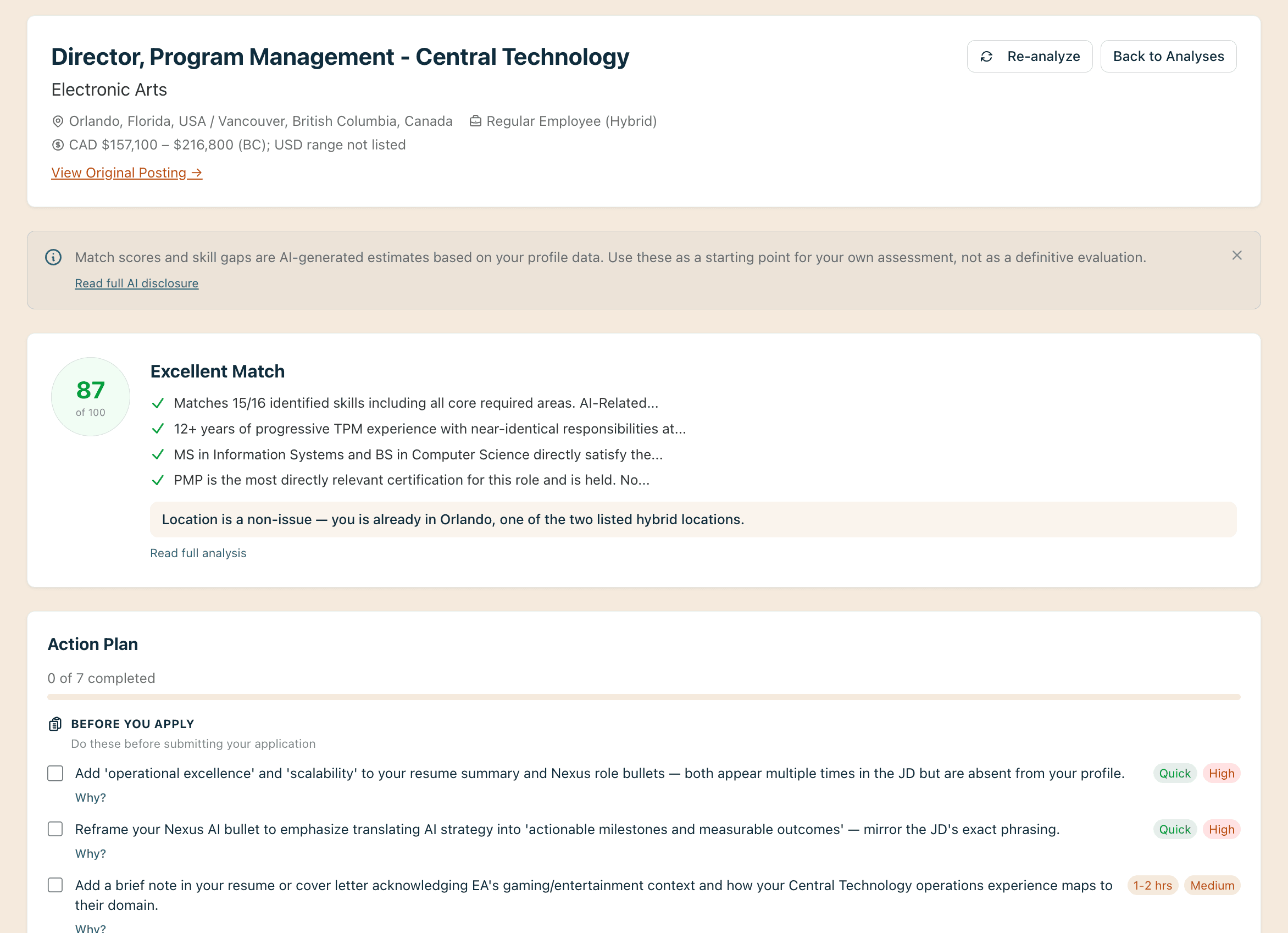
Keywords extracted, categorized, and ranked by importance from any job description.
The Bigger Picture
Keywords Get You Past the Filter. Understanding Gets You the Interview.
Optimizing for keywords is the first step, not the last. A resume packed with the right keywords will pass ATS screening, but the hiring manager still needs to see measurable impact, relevant experience, and professional presence. Our tool gives you the keywords, but it also shows you the full picture: experience level expectations, candidate requirements, and culture signals that keyword extractors miss entirely.
Next Steps
From Keywords to Action
Your keyword analysis is the starting point. Here’s how to put it to work.
Check your resume against what the role requires with the Free Resume Audit
Generate a tailored resume for this specific role with the AI Resume Builder
Write a cover letter that addresses the key requirements with the AI Cover Letter Writer
Talk through your job search strategy with an AI career coach
Your Coach
A coach in your corner

A coach in your corner
Found the keywords you need? Coach Campbell helps you turn keyword analysis into a concrete action plan. Whether you are restructuring your resume for a specific role or building a job search strategy, Campbell keeps you focused on results.
Related Tools
Explore More Job Search Tools
Job Description Analyzer
Go beyond keywords. Get a full analysis of any job description including experience level, candidate requirements, and culture signals.
Free Resume Audit
Updated your keywords? Check how your resume scores across four dimensions including ATS compatibility.
Casting too wide a net? Read why spray-and-pray job searching fails.
Common Questions
Frequently Asked Questions
Everything you need to know about extracting keywords from job descriptions.
Paste the full job posting into our keyword finder. The tool extracts every relevant keyword, categorizes it by type (technical, soft skill, qualification, experience marker), and ranks it by importance. Focus on the top-ranked keywords in each category rather than trying to include everything.
No. Including every keyword makes your resume read as unfocused. Our tool ranks keywords by importance so you can prioritize the 8 to 12 that matter most. Required technical skills and core qualifications should appear prominently. Preferred or nice-to-have keywords can be woven in where they fit naturally.
Applicant tracking systems parse your resume and match its content against the job description. They look for specific terms, phrases, and variations. Our tool shows you exactly which keywords the ATS will be scanning for and how important each one is to the role, so you can optimize without guessing.
Yes. The same keywords that help your resume pass ATS screening also improve your visibility in recruiter searches on LinkedIn. Use the top-ranked technical skills in your headline and skills section, and weave soft skills into your summary and experience descriptions.
This is common for career changers. Our tool shows you the exact terms the employer uses, so you can mirror their language in your resume. If you have "project management" experience but the posting says "program management," you will know to adjust your terminology.
Most extractors list every noun from a job posting without ranking or categorizing. Our tool separates keywords into four categories, ranks each by importance, and distinguishes required skills from preferred ones. You get a prioritized strategy, not a raw word list.
Extract the Keywords That Matter in Under 15 Seconds
Paste a job description for categorized, ranked keywords. No account required.